I miss the headphone port too

Handpicked

Greg Kumparak at TechCrunch still misses the headphone port after two years:

Apple wasn’t the first to ditch the headphone port — but, just as with its decision to include one, its decision to remove it has turned the tide. […] If 2016 was the year Apple took a stab at the headphone jack, 2018 was the year it bled out.

And I’m still mad about it.

Technology comes and goes, and oh-so-often at Apple’s doing. Ditching the CD drive in laptops? That’s okay — CDs were doomed, and they were pretty awful to begin with. Killing Flash? Flash sucked. Switching one type of USB port for another? Fine, I suppose. The new USB is better in just about every way. At the very least, I won’t try to plug it in upside down only to flip it over and realize I had it right the first time.

But the headphone jack? It was fine. It stood the test of time for one hundred damned years, and with good reason: It. Just. Worked.

[…]

None of these [annoyances] are that big of a deal. Charge your damned headphones, Greg. Stop losing your dongles. The thing is: they took a thing that just worked and just made me happy and replaced it with something that, quite often, just bugs the hell out of me. If a friend sent me a YouTube link and I wanted to watch it without bugging everyone around me, I could just use whatever crappy, worn out headphones I happened to have sitting in my bag. Now it’s a process with a bunch of potential points of failure. 

I pretty much agree with everything Kumparak mentions in his piece (please go over there and read it in its entirety). And — believe it or not — I have even additional annoyances on top of those he talks about.

Why I can’t go all-in with wireless audio

First and foremost, among the devices I regularly use to listen to music and podcasts, there are some that lack Bluetooth (five different iPods, portable CD player, portable MiniDisc player, my home hi-fi stereo, my car stereo). If you’re thinking Dude, ditch the old stuff and listen to music on modern pieces of technology, then you must be new here. I’m not going to throw away perfectly working devices and systems just because I can’t use wireless headphones with them. My hi-fi stereo isn’t audiophile-quality hardware, but it nevertheless comes from an era when they built things that were meant to last — and in fact it still sounds great after 36 years. When I want to take a moment for myself and filter everything else out, listening to a CD through over-the-ear headphones connected to this 36-year-old amplifier is still the best way to experience music for me.

But there’s another reason why switching to wireless audio is problematic for me, and it’s as maddening as it is simple: I haven’t been able to find a good pair of Bluetooth earphones that fit my ears in a satisfactory and satisfying way. 

Note: I wrote earphones, not headphones, because while I’ve tried out many different over-the-ear Bluetooth headphones — both open-back and closed-back — and found many interesting candidates, even at very affordable prices, there are many situations where it would be more desirable and convenient to have Bluetooth earphones. They’re lighter, less intrusive, and my ears don’t feel like boiled meat after an hour of wearing them.

The problem with Bluetooth earphones is that, from my experience, 98% of the offering out there is for in-ear models, and I just can’t wear in-ear earphones. I’ve tried different brands, even expensive models with different silicone buds to provide the best fit. It’s too much for my ear canals. Maybe I have small canals, but they hurt. And I can’t get used to having such buds so deeply embedded in my ears. It’s such an annoying sensation that it becomes distracting. 

Just get yourself some AirPods, I hear you say. I wish I could. I’ve tried them on. The left bud fits and feels fine. The right one keeps falling off. And that’s something you don’t want to happen with truly wireless earphones. The funny thing is, I haven’t had such issues with my wired Apple EarPods, that have a very similar earbud design.

Man, you’re such an extreme case, you’re now uttering in frustration. Maybe I am. But I keep finding wired earphones that fit my ears perfectly. Sony, Sennheiser, Panasonic, JBL, JVC, Pioneer, you name it, I’ve tried it, and they’re great. Then I check their Bluetooth offerings… and the majority are in-ear earphones.

Mind you, I’m not arguing it’s impossible for me to find a good pair of Bluetooth earphones. Only that, so far, it has been a surprisingly difficult endeavour. Whereas I can literally buy the first pair of wired earphones I lay my eyes on — as it happened with the Gumy earbuds by JVC — and they’ll typically fit well enough.

Thankfully, I don’t need to go all-in with wireless audio

To be perfectly honest, I’m still not in a position to be personally annoyed or impacted by the disappearance of the headphone port in many current devices. So far, the only device I own which lacks a headphone port is the iPhone 8 I purchased in November. All my main computers and all the devices I’ve used the most in 2018 are equipped with a headphone port. And I can still quite happily use all my wired headphones and earphones with all of them (I usually leave a pair of earphones in every bag I use, and it’s a very practical solution). I have already purchased the mandatory dongle to use my iPhone 8 with regular wired headphones, and at the moment I don’t feel the same kind of everyday friction experienced by Greg Kumparak.

But that doesn’t mean I’m not annoyed by this trend of removing the headphone port at all costs.

As Kumparak says, there’s inherently nothing wrong with it. It just works. It’s practical. And its removal isn’t exactly necessary to improve a device in significant ways. With our computers we’re at liberty to choose wired or wireless keyboards, wired or wireless mice; why can’t we have the same with audio? I understand the convenience of not having wires that get tangled in your clothes or that are not long enough and they may limit your movements (seriously, headphones manufacturers: 1.2 m cables are too short), but on the other hand the price of not having wires is that you have yet another accessory you need to charge. Let people have both ways. I for one prefer a smartphone that gives me this kind of flexibility to a smartphone that lacks a headphone port because now it can be thinner or fully waterproof. (By the way, there are thin devices and waterproof devices equipped with a headphone port). 

At the end of the day, it all boils down to what I tweeted almost a month ago: It’s 2018 almost 2019, and no one in tech has yet given a compelling explanation as to why getting rid of the headphone jack is a good thing. Getting rid of something because “it’s old” is a silly excuse. You get rid of something if its age has become a problem in some way, if its technology is clearly past being useful or practical (the floppy drive, I/O ports that only provide slow data transfer speeds, the CD/DVD drive from laptops because it takes up a lot of space that can be better repurposed, etc.). None of these examples applies to the headphone port. Its removal is largely arbitrary. And that’s what essentially makes me mad about it.

Have a shit cookie

Tech Life

Ever since the General Data Protection Regulation (GDPR) [Wikipedia | Official text] was enforced on 25 May 2018, the majority of websites I visit has welcomed me with privacy-related popups, prompting me to either accept or reject their cookies. Of course, in 99.9% of cases, advertising trackers are involved. The blurb provided in the popup dialog typically says something along these lines:

This website uses cookies to personalise content, provide custom experiences, target ads, to provide social media features and to analyse our traffic. Etc.

The really infuriating thing is that in most cases the user interaction of such popups is designed in such a way as to make the rejection of said cookies hard to discover or unnecessarily complicated for the user. Basically, you’re given the ‘easy path’ — Accept all cookies or the ‘necessary’ cookies with just one click and the popup is dismissed; or you can choose the ‘hard path’ — Click to expand the popup dialog box or to go to a entirely different page that provides a most detailed list of cookie options you can enable/disable according to your needs and wants.

You may say this is laudably transparent: the website gives you a great amount of fine-grained customisation for the cookies and trackers you want to enable or disable. I say this is employing a dark-pattern-style behaviour to make the visitor choose the path of least resistance. 

Accepting everything is the quickest, easiest way to access a website, and since most of the time this dynamic happens when a visitor is following a suggested link to an article or video, all the visitor wants to do is to read that article or watch that video as soon as possible. So they accept the shit cookie and the website has managed to maintain the pre-GDPR status quo of abusive tracking with minimal effort, while doing nothing wrong on paper. A lot of these popup cookie prompts proudly proclaim: We value your privacy. Bullshit.

Here are some examples.

SourceForge cookie


Leaf group cookie

In my opinion, this is how it should be done. Now, I don’t know for certain that clicking on I do not accept will effectively disable unwanted cookies, but from a user experience standpoint, this is acceptable behaviour in my book. Whether you accept or do not accept, the process is one single click. If you want to know more, you click on the More Options or Show Purposes links. But sadly, at least in my experience, these prompts are in the minority.

A lot more frequently, you’ll find things like these:

Macworld c1

If you click Got It, the window is dismissed and you can access Macworld. If you click Settings, you get this:

Macworld c2

At least the user interface is clean. But it’s still a mess of nested settings and options you have to go through and toggle individually.

Other times, you don’t even get the clean interface:

Other popular cookie popup 1

Here, if you click on Cookie Details, you can enable/disable entire categories of cookies, but the information about each cookie is presented in a very geeky way that’s hostile towards non-tech-savvy people:

Other popular cookie popup 2

The interface is intentionally cramped, the text font size is small, you have to scroll through a lot of details, and the ‘Necessary’ category cannot be disabled anyway, so you’ll always allow a minimum of tracking when you finally click on Continue with Recommended Cookies. This template, as far as I know, isn’t specific of the website I was visiting — I have encountered it many times on other sites. That’s why you don’t see the website name in this example.

But wait, there’s worse:

Pop mechanics cookie


Atlas Obscura cookie


Time cookie

Here we have three different examples where only the Accept option is featured prominently. If you want to exercise your right to disable privacy-abusing stuff, you first have to click a link (which sometimes is very clearly indicated, other times it barely stands out from the rest of the text block), and then you’re directed to a Privacy Policy page where you hopefully will find something to disable after going through a wall of text that in some instances looks like a EULA. In the three examples above, TIME seems to just shower you with a selection of links you can visit to ‘get more information’, ‘explore your options’, blah blah blah. 

Again, I ended up with this popup on my face simply because I wanted to read an article on TIME after following a link on Twitter. And I was using my iPad. Imagine when this happens and you’re on your phone, in a coffee shop or while commuting. You don’t want to read the fine print or tap on small checkboxes. You want to read the damn article. You tap Continue, go on your merry way, and get fucked in the process. No, let’s use a tech term of my own coinage here: you get trackfucked.

So here’s what I do

If I’m given a 1‑click option to Accept or Reject cookies, I’ll just click on the Reject option. If I’m made to jump through stupid hoops to revoke my cookie consent, I’ll click on Accept, or Continue, whatever. Why? Because I have a full arsenal of content blockers that will block this shit anyway. Among the blockers I happily use on my devices are:

There are more, of course, but these represent a very good starting point and offer a faster, track-free, less resource-demanding browsing of today’s Bullshit Web.

My most used devices in 2018

Tech Life

IMG 3853 half annotated

If tech YouTubers do all those popular Here’s my everyday carry and My favourite devices kinds of videos, why not do the same here? As the photo above has already given away, you know it’s going to be a rather unusual ride, at least for some of my readers…

For practical reasons my two main Macs, a 2017 21.5‑inch 4K retina iMac, and a mid-2009 15-inch MacBook Pro, have not been included in this picture. 

Without further ado, these are the 18 devices I’ve used the most during 2018:

1. Mamiya ZE – This is an SLR film camera, introduced by Mamiya in 1980 (Camera-wiki.org has a few more technical details and links to other sites). Mamiya didn’t manufacture many 35mm SLR models, and their attempts have been less successful than their medium format cameras. These lightweight SLRs were interesting but, as I read from a few sources, prone to failures. My unit was a lucky eBay purchase: it was well cared for and came with three lenses — a 50mm ƒ/1.7, a 28mm ƒ/3.5, and an 80–200mm ƒ3.8 zoom lens — plus a winder and a carrying bag. It works well, it’s easy and light to handle, and I’ve found it to be a handy tool for street photography.

2. Canon T90 — Another SLR film camera (from 1986) which holds a rather important role in Canon’s history, as it was the last professional SLR with the FD lens mount before Canon switched to the EOS mount shortly afterwards. I completely agree with Stephen Gandy when he writes:

Introduced in 1986, the Canon T90 was years ahead of anything else on the market at that time. It is, quite simply, one of the best manual focus 35mm SLR designs of all time. Many features of the T90 were later incorporated into the EOS. Personally though, I like the total design of the T90. It gets my vote as the best Canon Design ever. […] 

The T90’s strong point is the overall integration of a very intelligent and well thought out design. The sum is more than the individual parts. You really have to use it to know what I am talking about — a rare combination of great handling, intelligent controls, and incredible versatility.

My dad used to have a Canon AE‑1, and when the film photography bug bit me again 11 years ago, it was obvious that my first purchases on the used market were Canon film cameras with the same FD mount as the AE‑1. By the time I got interested in the T90, I had already accumulated a few good FD lenses. The story of how I obtained this camera is interesting, but outside the scope of this piece, and I’m already getting carried away as it is. Let’s wrap this up by saying that, despite having many scars and scuffs, this is the film camera I love and use most in all my collection.

3. Nikon D200 — This is my only digital SLR camera, a semi-professional 10.2‑megapixel model Nikon introduced back in 2005. It takes great photos (check my Flickr album for some humble examples), and it’s absolutely enough for my needs. I’ve had this D200 for a couple of years now and I still haven’t mastered all its many features and tweaks… I admit that, if I had a bit more money to invest at the time I acquired it, I would have chosen a full-frame DSLR, but I can’t complain, really; this camera has given me amazing results, and I particularly like how it renders colours, which tend to look natural, never oversaturated.

When I’m out and about, according to how many lenses & accessories I bring with me, I either use a LowePro Fastpack 150 backpack, or a LowePro Passport Sling III camera bag. Yes, I do love LowePro products. 

4. Third-generation iPad (Wi-Fi, 32 GB) — Purchased new in 2012. I still use it as my main iPad despite its age and limitations. It’s not so bad, actually, and handles iOS 9.3.5 much better than the second-generation model does.

5. Third-generation iPod nano — I have many iPods of different vintages I still use regularly to listen to music from my personal library. But this is my favourite nano of all. It’s lightweight, has a bright screen, and handles nicely.

6. Third-generation iPod shuffle (Late 2009, 2 GB) — It would appear that I have a penchant for third-generation devices, heh heh… Anyway, this is perhaps the lightest wearable Apple has made, weighing less than 11 g. It wasn’t received very well at the time mostly due to the absence of controls on the device itself, and it didn’t convince me either. But after finding this unit for a mere €15, I decided to give it a try, and I ended up loving it. I wrote a post-review in October of last year, if you want to read more about it.

7. Nokia Lumia 830 — After the surprisingly positive experience I had with Windows Phone 8.1 on a Nokia Lumia 925, I decided to look for a more powerful Windows Phone smartphone. This Lumia 830, from 2015, is still a very capable phone and handles Windows 10 Mobile smoothly enough despite only having 1 GB of RAM. I’ve been using it as a secondary phone this past year, carrying it along with my main iPhone 5. I’ve been loving it mostly for its camera, a 10-megapixel Zeiss with optical image stabilisation that takes very nice wide-angle shots. Now that I upgraded to an iPhone 8, this Lumia 830 is getting used less frequently, but it’s always in my bag. 

8. iPhone 5 (32 GB) — Acquired second-hand in really good condition back in March 2015, it has been my daily driver until I purchased a 64 GB iPhone 8 last month. Together with the iPhone 4, it is my absolute favourite iPhone design and size. This unit has performed very well for the whole time it was my main phone. In June of this year its battery started to swell, and when I saw that the display assembly was starting to bend, I got the battery replaced by a local repair shop for just €29. Now the phone lasts two days and a half on a single charge. I still use it often because of some 32-bit iOS apps that haven’t been updated for iOS 12 or that have been retired from the App Store; apps I still love to use, like KitCam.

9. Nokia E61 — An older smartphone from 2006 I actually found in the tech bin at the university where my wife works. It still works very well and battery lasts at least four days on standby, despite its age. I keep my Italian SIM card in it. It’s a constant reminder of how the iPhone has truly revolutionised the smartphone sector.

10. Third-generation iPod touch (32 GB) — When my little project of writing a book about iOS user interface design was still on the front burner, so to speak, I needed a device that could run iOS 5, and this was kindly donated to me. Again, I’ve been using this for music and for certain apps that still work and remain usable after all these years.

11. Fourth-generation iPod touch (64 GB) — For the same reason outlined above, I needed a device that could run iOS 6. I had an iPhone 3GS for that, but one day it just stopped working. This was another kind donation — Thanks again, Joe. What’s lovely is that not only is it a great device to carry around (compact, light, huge amount of space to store music, can even take photos), but I can experience iOS 6 on a retina display.

12. iPhone 4 (16 GB) — I purchased this iPhone in 2011, just a few months before the iPhone 4S was introduced. Sadly, I couldn’t wait for the 4S, as at the time my iPhone 3G was simply getting too sluggish to be still my daily driver after three years. I needed to upgrade, and I actually don’t regret my choice. A good friend of mine always said about purchasing tech devices, You have to get what’s available when you need it, otherwise you’re always waiting for the next best product. This has been the iPhone I’ve probably loved the most. I used it from 2011 to early 2015, took an insane amount of photos, and discovered a lot of great iPhone apps. Today, its original battery still lasts a lot if I leave the phone in Airplane Mode. For its compact size, I still use it as my alarm clock and kitchen timer. And to study iOS 7’s user interface, of course…

13. Apple Newton MessagePad 2100 [in a MessagePad 2000 chassis] — I’ve been a regular Newton user since 2001. This particular unit was received in 2006. Smartphones and tablets may come and go, but this has been my favourite ‘digital notebook’ for the past 17 years. It still lasts weeks on standby (it runs on four AA cells), and after a period of initial training and continued small adjustments, it recognises my handwriting almost flawlessly (certainly better than Siri understanding my requests). It’s truly a pity that the poor handwriting recognition in the first version of NewtonOS essentially tainted the Newton’s reputation. NewtonOS 2.x was a stark improvement in this regard. If you’re interested, there are several Newton-related posts in this blog’s archives, notably Digital Notebooking, Ten years with the Newton, Who wants a stylus?, Why Newton, and A hands-on assessment of Apple’s Newton MessagePad — but you can find other pieces (both in English and Italian) by browsing the blog by the ‘Newton’ tag.

14. First-generation iPad (Wi-Fi, 16 GB) — I’ve wanted to get my hands on the original iPad for a while, and my friend David was generous enough to send me one. As I wrote in more detail in Ten days with the first-generation iPad, and Follow-up: The iPad 1 as daily driver, I’ve been absolutely blown away by this device:

In short — this iPad 1 has turned out to be more useful than anticipated, also thanks to the careful app setup I’ve assembled. On a personal level, the fact that I can go back and enjoy certain apps I had been missing (such as Posts, the WordPress client) makes the iPad 1 possibly more useful than my iPad 3 in certain areas.

The fact that iOS 5.1.1 is less bloated than iOS 9.3.5 on the iPad 3, and that there’s better optimisation and integration between iOS 5 and the iPad 1 hardware than there is between iOS 9 and the iPad 3 hardware, makes the original iPad feel more responsive and better-performing than the iPad 3 despite having more limited tech specs. For more about the subject, refer to the two articles mentioned above.

15. 17-inch PowerBook G4 (1.33 GHz, 2003) — Another kind donation (thanks again, Ross!), I’ve had this machine since circa 2012 and it still works well. It has 2 GB of RAM, an 80 GB hard drive, a SuperDrive that’s capable of burning CDs and DVDs, a 64 MB ATI Mobility Radeon 9600 graphics card driving a 17-inch beautifully matte display at 1440×900 resolution. It’s still a useful Mac to me despite its age. I use it for a variety of tasks and its big screen is a joy when browsing the Web, writing, reading my RSS feeds, or even doing some photo editing (believe it or not, performing some basic editing in Aperture 2.x is totally feasible). But it’s its diverse array of ports and connections that makes this Mac a key element of my data flow across vintage machines: two USB 2.0 ports, two FireWire ports (400 and 800), and a PCMCIA card slot allow me to use older peripherals and access backups of old personal archives to transfer files to other Macs if needed.

16. 12-inch PowerBook G4 (DVI, 1 GHz, 2003) — This is essentially my absolute favourite Apple laptop of all time. It has been my main machine from 2004 to 2009. It has gone through thick and thin, even surviving a couple of spills. It’s technically less capable than the 17-inch above, having only a 1 GHz CPU, a 32 MB GPU, and its RAM maxed out at 1.25 GB, but it’s still an excellent machine for distraction-free writing. I’d love to replace the 40 GB hard drive with an SSD, and get a new battery for it one day.

17. Lenovo ThinkPad T400 — 2018 has been the year of my Windows re-discovery, something that actually started in late 2017 with my belated exposure to Windows Phone 8.1 on a Nokia Lumia 925 handset. The desire of knowing Windows 8 (and 10) better, together with a long-standing design preference for ThinkPad machines, made me look for a vintage — but hopefully not too obsolete — unit. Another donation and a very good deal afterwards have brought into my home both a ThinkPad T61 and a T400. The T61 is now a Linux machine (what can I say, I’m a long-time Apple user, but it’s also short-sighted not to keep your options open), and this T400 a Windows 8.1 Pro machine. It’s definitely capable of running Windows 10, but I prefer the UI and æsthetics of 8.1. Despite being a model from 2008, it’s still a capable machine and can comparatively run much modern software than a Mac of the same vintage. On the ThinkWiki page you can read the full specifications and configuration variants. My unit has an Intel Core 2 Duo P8600 CPU at 2.4 GHz, 4 GB of RAM, and it doesn’t have the dual GPU but only the Intel GMA 4500MHD graphics. It has the 14.1‑inch LED display at 1280×800 resolution. But above all it has a very, very nice keyboard. I also love this machine because it’s compact, fairly lightweight, and quite versatile when it comes to ports and connections. I have used it several times for work and writing when out and about, and I didn’t encounter any particular issue with the system itself or when adapting to a Windows-based workflow.

18. 15-inch Titanium PowerBook G4 (400 MHz, 2001) — A Titanium PowerBook that still looks pristine after 17 years. A battery that still lasts for about two hours. A machine that can run both Mac OS X 10.4 Tiger and Mac OS 9.2.2, therefore giving me an extensive selection of vintage applications and games. What’s not to love? 


This is an already extensive list of devices, but there are even more that I have left out. I had to establish a common denominator, otherwise this would have been a piece about everything I got. Still, you may have been wondering: Whoa, Rick, isn’t this a bit redundant? Do you really need to use all this stuff?

Well, sure, there’s some redundancy, but as I wrote in An unusual travel kit, despite several attempts at minimalism, I realised I simply am not a minimalist: “[…] Instead of concentrating functionality in the fewest possible devices, I have the tendency to do the opposite — i.e. to distribute tasks across multiple devices.”

Then there are personal preferences and personal quirks. Take my film cameras: I own more than 30, when two should suffice. But it’s all about the experience, how certain cameras feel and handle, how they make you experience the act of taking photographs. With the devices pictured above, it’s the same. The feeling of moving a touch-wheel when browsing the music you selected from your personal library and loaded on an iPod is sometimes more satisfying than tapping on playlists in the iOS Spotify app on my iPhone 8. Wearing a feather-like device like the third-generation iPod shuffle to listen to music while riding a crowded bus or metro train is much more comfortable than fiddling with an iPhone 8. I could make dozens of other examples.

With writing it’s the same. I can write everywhere and take notes everywhere, whether on paper or digitally. But sometimes writing a part of a story or a novel on the 12-inch PowerBook G4 just feels right in a particular situation. Often, jotting down notes for an article or a quick reminder on my Newton, knowing that everything will be permanently stored in the device’s memory without even the need of a Save button, just feels right or is even less frictional than firing up a specific app on the Mac or iPad. 

And last but not least, there’s the constant amazement at how lots of devices every cool tech type considers ‘obsolete’ and ‘unusable’ today are still actually quite useful and capable.

That’s all for now, I guess. If you have quick questions about anything I’ve mentioned here, feel free to hit me up on Twitter.

Minimal surface nirvana

Tech Life

Every time Apple introduces a new model of iPad, that old, nasty, stupid, pointless debate rears its ugly head. I’m referring of course to the Can this iPad replace a traditional computer? debate. Also known as Can the iPad become your primary, or even sole computer? Also known as Can the iPad be used for Serious Work?

The constant in this debate is the attitude of the two main user groups involved, as each seems to hold this position: My way is the right way, and you’re a fool for thinking otherwise.

Now, my decades-old habits, my work-related needs, but also my personal preferences put me in the Mac OS / traditional computer group. The way I organise my workspace, the way I multitask, my need for lots of screen real estate, make Mac OS the ideal environment to work in. But I’ve been using iOS and iOS devices for a long time as well. I can appreciate that some people have managed to make them their primary platform and device. I know that Serious Work can be carried out on an iPad. It really, ultimately depends on what you do for a living. 

The point that some iPad die-hard fans seem to miss is that it’s not a matter of people not wanting to adapt to an iOS-based workflow; it’s not a matter of people lacking mental agility to ditch their computers and switch to iPads for work. It’s that their work imposes different solutions, in the form of dedicated software, company-issued computers, multitasking requirements (e.g. ability to monitor more than three applications simultaneously on a bigger screen), etc. 

The point that some traditional computer fans seem to miss is that there are people whose work largely depends on one type of application, and when this type of application is efficiently, effectually ported to iOS and tailored for use on an iPad, a lot of these people will be able and will prefer to work on an iPad, even if some adjustments are required in the process.

But the purpose of this piece isn’t to solve this debate, or to side with either of the parts involved. I just wanted to offer a few observations on this trend towards iPad computing. These past few years I’ve been noticing how a fair amount of tech nerds have made their mission to get rid of desktop or laptop computers and become iPad-only users, and I’ve wondered why. Why are they willing to go back and re-learn to do the same things they used to do on a Mac or PC, on an operating system that is certainly fresher than Mac OS or Windows, but still clearly lacks in versatility (at least in certain areas)?

According to some of them, they prefer iOS on an iPad because it’s “simpler”, and “more fun”. According to others, Mac OS or Windows “never clicked” with them, and iOS has turned out to be a more favourable environment for the way they do things. According to others again, they prefer Multi-touch as input method over mouse or trackpad. There are other reasons, some even more superficial (“I love the design æsthetics of iOS and iOS apps more than the one of Mac/Windows apps”), but let’s stop here for now.

I think there’s another fundamental reason at play, and it’s a stronger driving force than any of the reasons listed above. It has to do with a portability and lightness fever that seems to have affected a lot of people in recent times. 

I don’t know if it all started in 2008 with the first MacBook Air, or slightly earlier with the wave of netbooks, but the obsession with ‘Thin & Light’ has definitely been contagious and has shaped many computing trends of these past ten years or so. The thrill of being able to do most things on a more compact device has been potent; to the point, I think, that which system powers the device is actually a secondary factor. 

Go to any computer store and look at the offerings. The biggest laptop computer size is 15-inch. 17-inch machines are few and they’re all targeted to ‘gamers’ who, in the consumer landscape, appear to be the only category of users putting sheer performance before size or weight. The rest essentially consists of 12/13-inch laptops or even smaller 2‑in‑1 convertible devices.

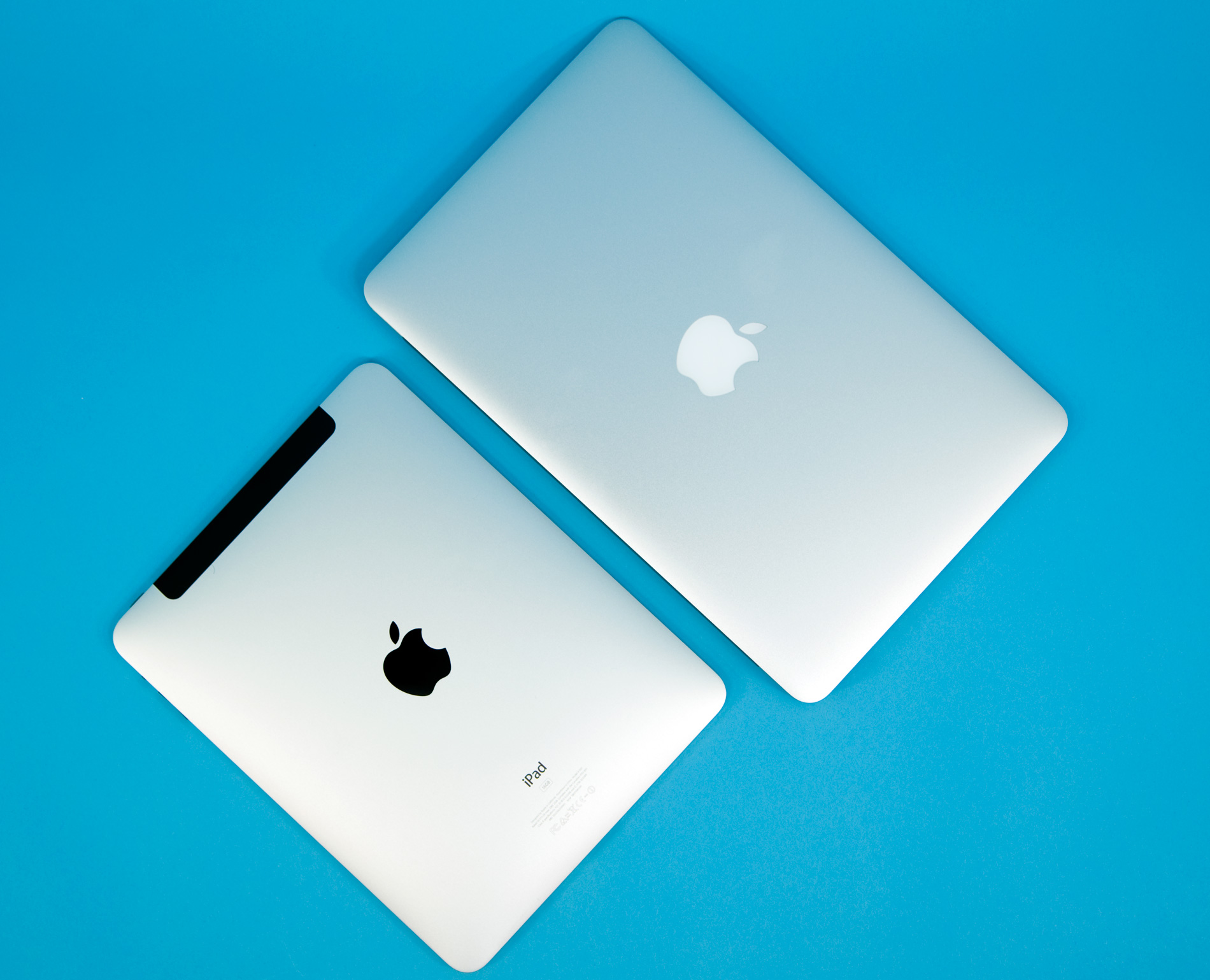
It seems as if the main goal for the computing environment of the future is that it has to happen on the thinnest, lightest surface possible. The Thin & Light trend is so intoxicating that some people (and I find this hilarious) consider any computer or device weighing more than one kilogram to be heavy. When some learn that I sometimes still do some work on a 17-inch PowerBook G4 — which weighs more than three kilograms — they tell me I’m crazy to carry around that much weight and bulk. 

It doesn’t matter that iOS on an iPad still has its share of shortcomings and convoluted workflows. It’s the thrill of operating a thin slab with just your fingers (and a pencil) what makes the whole experience. It’s the feeling of great convenience. It’s the exhilarating sensation of I can do anything, anywhere, with this paper notebook-sized device.

From a rational standpoint, an iPad may not be the most convenient solution for certain tasks, or even the most practical. But a traditional computer can’t beat that thrill, that feeling of unbearable lightness, when you just grab the iPad from your desktop, put it in your slim messenger bag, and dash out. “I’ll keep checking that thing on the taxi”, “I’ll just shoot her an email while having a cappuccino at the coffee shop near the train station”. Your computing environment on a minimal surface. That is indeed a stronger force than admitting to yourself that certain workflows are still awkward after years of iOS development; that certain gestures are far from well-designed or usability-friendly; that certain features are still hidden behind a curtain of poor discoverability; that a traditional computer still provides a more efficient desktop management and spatial arrangement; that a lightweight, 13-inch laptop with a good keyboard still provides a comparable degree of portability and lightness, with all the advantages of a mature OS.

But the choice that favours the minimal surface with minimal weight is mostly irrational. (And please, don’t read any judgement behind my words. A lot of human choices are based on feelings, not rationality. It’s what makes us unique.) It’s the liberating feeling of striving for a more and more impalpable computing experience. It seems that today what’s more important for both hardware and software is that they ‘get out of the way’. And I can understand this, at least in part. But — and perhaps it’s because I belong to a generation that had time to experience life before the pervasiveness of today’s Internet — I personally still much prefer to perceive computing as a visible, tangible experience; a separate activity, a place I ‘enter’ to work or have fun, but something I can get out of when I need and when I want. 

Because I can’t help thinking that this ‘getting out of the way’ characteristic of the computing experience of the fabled post-PC era doesn’t translate to something that truly gets out of the way, but to something that you bring with you everywhere, because it’s so small, thin, lightweight, and feels so powerful and convenient. You don’t see and hold Alice’s looking glass anymore — you enter it.

iPhone 8 – Scattered notes

Tech Life

1. After an amazing run, it was time to let my iPhone 5 get some deserved rest. About a week ago, I was finally able to purchase a new iPhone. From a general budget standpoint, my two options were a 64 GB iPhone 8 or a 64 GB iPhone XR. From a mere ‘future proofing’ standpoint, the logical choice would have been the XR. Even chromatically the XR looked like the winner, though I would have had a hard time choosing between blue and (PRODUCT)RED.

2. But I chose the iPhone 8. Space grey, 64 GB. Why? The answer is simple: I just like it better. And eight days after my purchase, I can already tell you I love it and I don’t regret choosing it at all.

3. It’s no mystery I dislike the design of the iPhone X line. I dislike the removal of the Home button in the quest to achieve an ‘all screen’ look. I dislike the notch because no matter how hard I try, I can’t unsee it. And I also dislike that these phones keep getting bigger and uncomfortable to hold and operate with one hand.

iPhone XR, iPhone 5/5s/SE, iPhone 8
Left to right — iPhone XR, iPhone 5/5s/SE, iPhone 8. The iPhone XR doesn’t look that much bigger than an iPhone 8, but coming from an iPhone 5’s size, it’s simply too much for me to handle.

4. Ah, but the screen is bigger while Apple has managed to keep the iPhone’s physical size smaller than the iPhone 8 Plus… – I know. But the bezels also work as anchors when you hold the device; they provide a bit of added stability. If there is screen, if there are interface elements to interact with where I usually rest my thumb, then my grip falters, and the device starts slipping away. In the store I managed to drop an iPhone XS Max on the table while trying it out. And I got very close to dropping an iPhone XR too. It’s interesting that it didn’t happen when handling an iPhone 8 Plus.

5. I come from an iPhone 5. Its design and size are simply perfect for my hand and for how I use the phone. In this regard, the iPhone 8 is the minimum size I could get a new, still-supported iPhone. (And yes, I considered the iPhone SE, but I was concerned about the aging internals. Getting a phone with a three-year-old generation SoC didn’t feel wise.)

6. With the hard clear protective case I bought along with it, the iPhone 8 is a bit big for my hand, but it’s still manageable and I can hold it steadily enough while in use.

7. It doesn’t have a notch. It has a Home button. It has Touch ID. Touch ID is fast and accurate. So fast that I still have to remember to avoid pressing the Home button too deliberately or I’ll miss the notifications when I wake the iPhone. The Raise to wake feature is very helpful here.

8. No Animoji. No Memoji. It’s awesome.

9. I did not purchase the iPhone 8 at the local Apple Store, but at a department store with an Apple area inside. It was more advantageous for a series of reasons (I could pay with their affiliate card, the device came with an additional one-year warranty and free insurance against theft, etc.). When I attempted to purchase it the first time, the clerk told me they were out of stock, and to return a few days later. When I did, a second clerk told me: “You’re in luck. We have two units left. The phones arrived two days ago, but these are selling fast.” Hmm. Interesting.

10. I knew this would happen. At the library, a couple of days after my purchase, I wanted to unplug my headphones from the PowerBook and listen to a podcast on the iPhone 8. Whoops, no headphone jack. This still irritates me more than mildly. I went out and bought a Lightning-to‑3.5mm dongle later the same day.

11. Going from an iPhone 5 to an iPhone 8 isn’t so much about mere speed (though that doesn’t hurt, believe me), but smoothness. It’s not the benchmarks per se what astounds me about this new iPhone, but the effortlessness everywhere. Everything feels fluid – I was about to say liquid but I didn’t want to sound like Steve Jobs when he started overusing the term magical. Another element that contributes to this feeling of fluidity is the display itself. It must have a different oleophobic coating because I distinctly feel less friction when moving my fingertips over it.

12. Now that I have a suitable iPhone, I was eager to set up Apple Pay. Of course my bank had to be one of the few left in Spain that don’t support Apple Pay. Of course. Anyway, I’ve finally the opportunity to use Touch ID to authorise a payment when I buy apps on the App Store, and even a few third-party apps (like the one from my mobile operator) have allowed me to use my fingerprint instead of username/password at login. It’s really convenient.

13. The new gestures on the X‑type iPhones are very handy once you get used to them — this is the usual reaction from iPhone X‑type owners, who often also add: I simply can’t go back to having a Home button. Well, while I’ve warmed up to some of them, and while I agree that the app-switching gesture is satisfying (it’s like you’re flipping through a deck of cards), I’m really really glad that on the iPhone 8 I don’t have to invoke Control Centre via that absolutely awkward swipe-down-from-the-top-right-corner gesture. I use Control Centre a lot, and having it come up from the bottom of the display is just perfect.

14. And speaking of Control Centre, it’s great that it can be partially customised. (I know, old news, but bear with me — I’m coming to iOS 12 straight from iOS 10…) What is less great is that it can’t be done… from within Control Centre itself. I just assumed it was possible to long-press or 3D Touch the controls, then the controls would wiggle, and you could rearrange them right on the spot, just like what you do with apps. I had to do a brief Web search to find out that you rearrange the controls via the Settings app, and that you can only rearrange them in limited ways. I’m certainly nitpicking here, but this method just feels so counter-intuitive and so un-Apple.

15. Thankfully, the setup process when going from the iPhone 5 to the new iPhone 8 was rather quick and stress-free, and for a moment I had a glimpse of that It just works I used to love about Apple. I did an encrypted backup of the iPhone 5 via iTunes (wired connection between iPhone and Mac), plugged in the iPhone 8, downloaded a small (and mysterious) software update so that iTunes could talk with the new iPhone, connected the iPhone 8, and restored from that backup. Once the process in iTunes was over, I could see that everything was perfectly cloned on the iPhone 8. Wallpapers, settings, email accounts & passwords, the whole springboard layout. All third-party apps started downloading and installing, and for being more than 100 apps, I was positively surprised by how quickly the iPhone 8 handled everything. Battery-wise, the entire setup cost only two percentage points. Not bad.

16. Some apps were not installed, but I liked that iOS kept them in place, with a little cloud icon next to the app’s name. And I liked that, when tapping on these particular apps, the system gave me a clear explanation as to why (in some cases the reason was that the app is no longer on the App Store, in others the reason was that “This app needs to be updated by the developer to work on this version of iOS”).

17. Okay, I like 3D Touch. And also the haptic feedback. These little nudges you get while interacting with apps make the app feel alive under your fingers. After a week, it hasn’t got old yet.

18. Siri seems more lively and reactive on this iPhone 8. The fundamental issue with Siri hasn’t changed, though. Most of the time it understands my words, just not what I mean.

19. I know, the device is new. But battery life… Battery life is astounding. I’m reaching three days on a single charge.

20. This iPhone will have to last me until Apple manages to deliver a true ‘all screen’ iPhone, without a notch. Yes, I do hate the notch this much.

21. The other day I went back to the store where I purchased the iPhone, and while I was checking whether they had come up with some promotion to sell the previous-generation iPad Pros, I saw three young women trying out the new iPhones. They had an intriguing, somewhat unexpected exchange. It went more or less like this:

– Ah, this is the new one, in colours, the X‑something.

– XR. [She pronounced it ‘eks-ar’, of course. All of them did.]

– The colours are lovely, yeah?

[Pointing at the XS Max and the XR] These are just too damn big.

[Picking up an iPhone 8] I like this one, the eight.

– It’s the same size as your 6S, yeah?

– Yeah, when it’s time I’ll buy this one. I like that it’s smaller and that it has a button.

[Brief laughter]

– No seriously, I like my phone to have a button here, see? Click! I close the app and am back to the start. Just like that.

– I prefer the eight too, you know. At first I got tempted with the 8 Plus, but I returned it after a week. Too big to carry around. And with a case on it? Nah, too much. And for what? Nah, I went back for an eight.

– Yeaah, you’re right… [Fiddles with an iPhone 8] Feels better.

I said this exchange was a bit unexpected because I simply took for granted that they would be more interested in the shinier, newest iPhone models. I’ll admit, part of me was glad that these three regular users were giving some love to the iPhone 8, which has become a bit of a ‘Cinderella iPhone’ in the tech sphere. Their evident distaste for the bigger models was another interesting indicator — not everybody is attracted to ‘the big screens’, Apple. Oh, and in case you want another example of the great divide between tech nerds and regular people, I’ve left the best remark for last: speaking of Face ID as another off-putting detail of the X‑type iPhones, one of the women said: I don’t feel it’s very practical to have to take a selfie every time I want to unlock my phone.